Handwriting to Text
  Screenshot to Text
  PNG to Text
  PDF to Text
  JPG to Excel
  PNG to Excel
  PDF to Excel
  Excel to CSV
  CSV to Excel
  JPG to PDF
  PNG to PDF
  Word to PDF
  Bank Statement Converter
  Invoice Scanner
  Business Card Scanner
  ID Card Scanner
  Passport Scanner

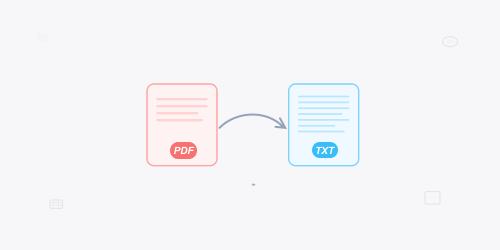
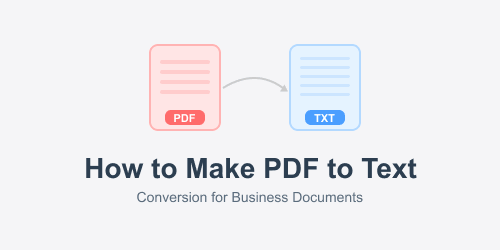
PDF to Text
How to Use PDF to Text Converter?
Step 1: Upload PDF
Drop PDFs or directly upload from your device storage.
Step 2: Start Conversions
Click “Convert” and let this tool extract text from pdf.
Step 3: Download or Copy
You can directly copy the converted text or save the .txt (notepad) file.
Extract Text from PDF Effortlessly
PDF (Portable Document Format) is one of the most widely used file formats for sharing and storing documents. Although it's perfect for preserving formatting, what if you need to copy the data or make edits? To proceed with it manually, it is not only consuming hours, but also prone to errors.
This is where you just need the best pdf to text converter that can extract text and store it into txt (notepad) format. Whether it's a simple text-based PDF or scanned one, this tool process is straight-forward. Just a couple of clicks helps in converting pdf to txt file format.
Why Use this PDF to Text Converter?
Lets find why PDF to text conversion tool’s worth using:
- Save Time: Manual intervention can take hours; our pdf to txt converter does it in seconds.
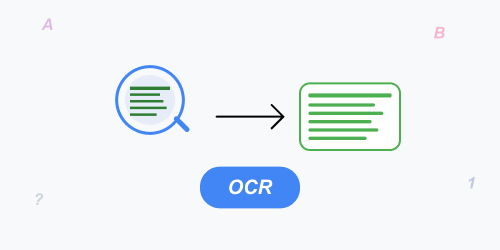
- Error-Free Extraction: Its OCR-powered ensures that the output text matches the original PDF.
- Better Editing Flexibility: Once converted, you can copy the text and start editing as your preference.
- Accessibility: Works perfectly from any device with a web browser, it can be either desktop, tablet, or smartphone.
- Supports Multiple Languages: Suitable tool for users who deal with multilingual documents regularly.
- No Technical Skills Needed: Upload, click, and download: all you have done!
Why Choose This PDF to Text Converter?
Fast Conversion
There’s no need to wait minutes for your file to process. Most pdf to text conversions finish within seconds.
Files are Secure
Your files are secured and once you the files are fully converted, they are deleted from our servers for privacy concerns.
Handy UI
The interface offers a neat and clean interface, all the navigation is straight-forward and no technical skills required.
Free to Use
Start converting PDFs without a subscription. Free plan includes limited daily conversions; paid plans remove daily limits and give more conversions.
Multi-Lingual Support
Supports a wide array of languages, becoming a suitable tool for global users.
Access from Anywhere
Works across all major browsers and devices, without installing extra plug-in’s software.
Batch Conversions
Save time by transforming multiple PDF documents into editable txt simultaneously.
Why OCR.ac is a Trusted PDF to Text Platform?
OCR.ac is mainly built to solve everyday document conversion problems without unnecessary complexity. The platform focuses on speed, reliability, and user privacy while keeping the experience simple and accessible.
Unlike many online tools that require registration or store uploaded files, this source allows users to convert PDFs without sign-ups and processes files automatically. The goal is to provide a reliable PDF to text conversion solution that users can trust for both personal and professional document needs.
This PDF to Text tool is part of a broader OCR.ac toolkit designed to make document handling faster, safer, and more convenient.
Uses for the PDF to Text Converter
You can find that our converter is designed for different users with different needs:
- Students – Copy assignment, lecture notes, or research material from existing PDFs into editable text files for easier studying.
- Researchers – Extract text from PDF reports, journals, and studies for quick citation as well as analysis.
- Writers & Journalists – Grab relevant content from archived PDFs for using in articles or reports.
- Business Professionals – Transform contracts, proposals, and presentations embedded in PDFs into text formats.
- Educators – Prepare quizzes, worksheets, and teaching materials by transforming useful PDF resources into text.
- Legal Teams – Digitize and edit case files immediately without manual intervention.
- Marketers – Reuse content from marketing PDFs or product manuals into web-friendly text.
Real-World Scenarios Where PDF to Text Helps:
PDF to text conversion process proves useful in many real-life situations like:
- When students receive scanned PDF notes and need editable text urgently.
- When office staff need to reuse content from old PDF reports.
- When freelancers extract text from client-provided PDF files.
- When researchers copy quotations from lengthy PDF-based studies.
- When businesses digitize archived PDF-dependent records into searchable text.
Advantages Over Manual Conversion
It's clear that if you are going to copy text manually from a PDF, it's tedious. Luckily, our PDF to text converter works to eliminate the risk of human error and even reduces the time required. In addition to that, when you convert pdf to text, you can attain a ready to use txt file, no need to reformat or fix typos.
Limitations You Should Be Aware of
While the PDF to Text converter works precisely in most cases, some limitations should be considered:
- PDF files with complex layouts or heavy design elements may return plain text only.
- Handwritten PDFs may not generate accurate results.
- Low-quality, pixelated or blurred scanned PDFs can affect OCR accuracy.
- Output is provided in raw TXT format for easy editing.
Data Privacy and File Handling Policy
User’s privacy is highly important while using OCR.ac:
- Uploaded PDF files are processed automatically by the system-source.
- Both uploaded and downloaded files are not reviewed, shared, or reused in any way.
- Processed files are automatically deleted from the servers.
- No personal data is collected during the pdf to text conversion process.