Bank Statement Converter
  Handwriting to Text
  Screenshot to Text
  PNG to Text
  PDF to Text
  JPG to Excel
  PNG to Excel
  PDF to Excel
  JPG to PDF
  PNG to PDF
  Word to PDF
  Excel to CSV
  CSV to Excel
  Invoice Scanner
  Business Card Scanner
  ID Card Scanner
  Passport Scanner




PNG to Text
How to Use PNG to Text Converter?
Our converter offers three simple steps to turn PNG into Text
Step 1: Upload Your PNG Image
Drop PNG or click to Upload directly from your device.
Step 2: Convert PNG to Text
Click to start conversion from PNG to Text.
Step 3: Download or Copy the Text
Your converted text will appear instantly into the box, copy it or save it into txt format.
What is PNG to Text Conversion?
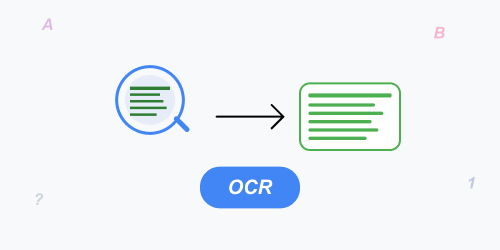
PNG to Text conversion is a swift process of extracting readable and editable text from PNG image files using OCR (Optical Character Recognition) technology. It allows users to change scanned images, screenshots, and image-based documents into searchable text without manual typing. This is especially helpful when one needs to digitize printed content and save time on data entry tasks.
Use OCR (Optical Character Recognition) to convert PNG to Text format. No sign-up or registration process is involved, compatible with mobile and desktop devices, and totally free.
Why This PNG to Text Converter?
This tool is built with the blend of features, let’s find:
Fast Conversion
Convert your png into editable text in a matter of seconds, no delays or slow processing.
Files Are Secure
All of your files are encrypted, no one can access them, and they all are deleted after conversion.
OCR-Powered Conversions
Our OCR-engine detects text from the given PNG images and entertains you with best possible results.
Handy UI
A neat and straight-forward interface makes png file to text conversion effortless for everyone.
Free to Use
Start converting with no sign-ups or hidden charges. Free plan includes limited daily conversions; upgrade for unlimited access.
Multi-Lingual Support
Scan, Recognize, and transform text in multiple languages for global accessibility.
Access from Anywhere
It is a web-dependent tool that works perfectly on desktops, tablets, laptops, and smartphones.
Batch Conversions
Allow you to convert bulk or multiple PNG images at once into text format.
Common Use Cases of PNG to Text Converter:
PNG to text is useful in many real-world situations:
- Students can quickly extract text from scanned notes, textbooks, and assignments.
- Teachers can digitize printed worksheets, question papers, and study material within no time.
- Office professionals can turn invoices, reports, and official documents into editable text.
- Freelancers as well as writers can reuse text from images without retyping.
- Businesses can quickly process scanned records, forms, and archives efficiently.
Why OCR Accuracy Matters in PNG to Text Conversion?
OCR accuracy plays an essential role in ensuring the extracted text remains meaningful and usable. A high-quality OCR technology recognizes different fonts, layouts, and languages while minimizing errors. OCR reliability helps users save time by reducing the need for manual corrections after conversion.
Best Practices for Better PNG to Text Results:
To get the most reliable and considerable output, consider the following tips:
- Use clear and high-resolution PNG images.
- Avoid blurry, distorted, or heavily compressed images.
- Ensure good contrast between text and background.
- Printed text delivers better accuracy compared to handwritten text.