 Handwriting to Text
  Screenshot to Text
  PNG to Text
  PDF to Text
  JPG to Excel
  PNG to Excel
  PDF to Excel
  Excel to CSV
  CSV to Excel
  JPG to PDF
  PNG to PDF
  Word to PDF
  Bank Statement Converter
  Invoice Scanner
  Business Card Scanner
  ID Card Scanner
  Passport Scanner
 How Accountants Can Save Hours Using Bank Statement Conversion Tools
By OCR.ac Team · Published
For many accountants, bank statements are a constant part of the job. Whether it’s monthly bookkeeping, reconciliations, or preparing reports for clients, dealing with transaction data is unavoidable. But the real challenge isn’t the data itself — it’s the time spent getting that data into a usable format.
If you’ve ever manually copied transactions from a PDF into a spreadsheet, you already know how tedious it can be. It’s slow, repetitive, and leaves too much room for error. This is exactly where bank statements to Excel tools come in and why they’re becoming essential for modern accounting workflows.
Let’s break down how these tools actually save time, improve accuracy, and make everyday accounting tasks much easier.
The Real Problem with Manual Data Entry
Before looking at solutions, it helps to understand the problem clearly.
A typical bank statement arrives as a PDF. That format is great for viewing, but not for working with data. To analyze transactions, accountants usually need everything inside Excel or another structured format.
Without automation, the process looks something like this:
- Open the bank statement PDF
- Create columns in Excel
- Copy each transaction line manually
- Double-check for formatting issues
- Fix errors caused by misaligned text
Now multiply that by multiple clients and multiple months. What seems like a simple task quickly turns into hours of repetitive work.
Even worse, manual entry introduces risks:
- Small typos can throw off totals
- Dates may get formatted incorrectly
- Missing transactions can go unnoticed
This is why many professionals are moving toward bank statement solutions.
What Is a Bank Statement Conversion Tool?
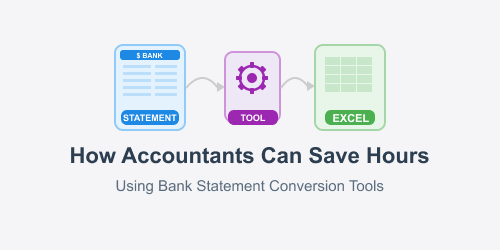
A bank statement conversion tool is designed to take a PDF statement and turn it into structured data: usually Excel, CSV, or similar formats.
Instead of copying and pasting, you simply upload the document, and the tool extracts:
- Dates
- Descriptions
- Debit and credit amounts
- Balances
In seconds, you get a clean spreadsheet ready to use. With the right tool, users can easily convert bank statements to Excel spreadsheets without losing formatting.
Where Accountants Save the Most Time
1. Faster Data Preparation
Getting data into Excel is often the first step in any accounting task. Without it, nothing else moves forward.
Using a bank statement conversion tool removes that bottleneck completely. Instead of spending time preparing data, you can start analyzing it immediately.
For accountants handling multiple clients, this alone can save several hours every week.
2. Easier Bank Reconciliation
Bank reconciliation requires matching transactions between records and statements. This process depends heavily on accuracy and structure.
When statements are converted automatically:
- Transactions are already aligned in rows and columns
- Sorting and filtering becomes simple
- Duplicate or missing entries are easier to spot
By using bank statement conversion workflow, reconciliation becomes faster and far less frustrating.
3. Reduced Human Errors
Manual work always comes with a risk of mistakes. Even experienced accountants can miss small details when working under pressure.
Automation reduces this risk significantly. A good bank statement tool extracts data consistently, without fatigue or oversight.
That means:
- Fewer corrections later
- More reliable reports
- Greater confidence in your numbers
4. Handling Large Volumes of Data
Some clients generate hundreds or even thousands of transactions every month. Manually entering that volume is not practical.
With automation, file size doesn’t matter as much. Whether it’s 20 transactions or 2,000, a converter processes everything quickly.
This makes it possible to scale your work without increasing your workload.
5. Better Client Turnaround Time
Clients expect fast results. Whether it’s financial reports, tax preparation, or audits, delays can affect their decisions.
By reducing time spent on data entry, accountants can deliver work faster. A bank statement to Excel process helps move from raw data to final output much more efficiently.
This not only improves productivity but also strengthens client relationships.
Practical Use Cases in Daily Work
Let’s look at where these tools fit into real accounting tasks.
Monthly Bookkeeping
Instead of entering transactions manually every month, you can convert statements instantly and import them into your system.
Tax Preparation
During tax season, time is limited. A right tool helps organize financial data quickly so you can focus on calculations and compliance.
Financial Analysis
Excel is still one of the most powerful tools for analysis. Converting statements into Excel allows you to:
- Create summaries
- Identify trends
- Build reports
Audits
Auditors often require clean, structured data. Automated conversion ensures consistency and saves time when preparing documents.
What to Look for in a Good Tool
Not all tools are created equal. If you’re planning to use a bank statement solution regularly, here are a few things to consider:
Accuracy
The tool should correctly capture transaction details without mixing columns or missing entries.
Format Support
Bank statements come in different layouts. A good tool should handle multiple formats without issues.
Speed
The whole point is saving time. The conversion process should be quick and straightforward.
Data Security
Financial data is sensitive. Make sure the tool you use keeps your information secure.
Ease of Use
You shouldn’t need technical knowledge to use it. Upload, convert, download — that’s how simple it should be.
Common Concerns (And the Reality)
“Will it work with my bank’s format?”
Most modern tools are designed to handle a wide range of statement formats. While no system is perfect, many can adapt surprisingly well.
“Is it accurate enough?”
In most cases, yes. A reliable tool can achieve high accuracy, especially with clear PDFs.
“Is it worth switching from manual work?”
If you value your time, absolutely. Even saving one hour per day adds up significantly over a month.
The Bigger Picture: Working Smarter
Accounting isn’t just about entering data. The real value comes from interpreting it, advising clients, and making informed decisions.
Spending hours on repetitive tasks takes away from that value.
By using a bank statement to Excel approach, accountants can shift their focus:
- From data entry to analysis
- From routine work to strategic thinking
- From slow processes to efficient workflows
This is not just about saving time — it’s about improving the quality of your work.
Few Words Left:
Manual data entry has been part of accounting for years, but it doesn’t have to stay that way. Tools that convert bank statements are changing how professionals handle financial data.
They reduce effort, improve accuracy, and free up time for more important tasks. Whether you’re working independently or managing multiple clients, the impact is immediate.
If you’re still copying transactions line by line, it might be time to rethink the process. A simple shift to a bank statement to Excel tool can save hours every week — and make your work a lot smoother in the process.