 Handwriting to Text
 Screenshot to Text
 PNG to Text
 PDF to Text
 JPG to Word
 JPG to Excel
 PNG to Excel
 PDF to Excel
 Excel to CSV
 CSV to Excel
 JPG to PDF
 PNG to PDF
 Word to PDF
 Word to JPG
 Bank Statement Converter
 Invoice Scanner
 Business Card Scanner
 ID Card Scanner
 Passport Scanner
How Does Passport OCR Technology Recognize Passport Details?
By OCR.ac Team · Published
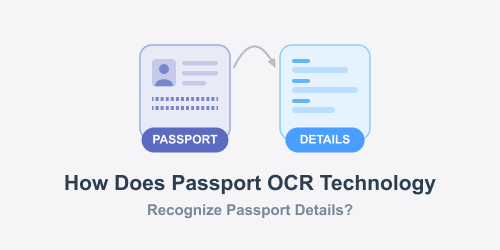
A passport contains several important details, including the holder's name, date of birth, nationality, passport number, and expiry date. These details are needed for many purposes, from booking international flights to completing travel forms and identity checks.
But reading and entering all this information manually can be inconvenient, particularly when the same details need to be recorded repeatedly.
This is where passport OCR technology comes into play. It can recognize printed information from a passport image and turn it into digital text that computers can understand.
You may have seen this technology at airports, immigration counters, hotels, or online verification platforms. Although the process looks almost instant, several steps take place behind the scenes.
Let's look at how passport OCR works, which details it can recognize, and what happens after an image is processed.
What Is Passport OCR Technology?
Passport OCR is a technology that uses Optical Character Recognition to identify and read printed characters from a passport image. Thanks to OCR technology as it helps to save time for many businesses and professionals.
Instead of requiring someone to type every detail manually, the system examines the image, identifies letters and numbers, and converts them into digital text.
For example, when you upload a clear passport image, an OCR system can recognize details such as:
- Full name
- Passport number
- Nationality
- Date of birth
- Gender
- Country code
- Date of issue
- Expiry date
The recognized information can then be copied, reviewed, or transferred into another application.
One important thing to understand is that reading passport information and verifying whether a passport is genuine are two different tasks. OCR focuses on recognizing the printed details. Authenticity checks may require additional technology and security verification.
How Does Passport OCR Recognize Passport Details?
The process involves more than simply taking a picture and reading the words. The software needs to locate the relevant information, recognize individual characters, and arrange the results into meaningful fields.
Here is how the process generally works.
1. Capturing the Passport Image
Everything starts with an image of the passport's personal information page.
The image can come from a mobile phone camera, a desktop scanner, or another supported device.
2. Detecting the Passport Information Area
Once the image is uploaded, the tool examines its contents to identify the areas containing useful information.
It needs to distinguish the passport's printed details from other elements, such as the background design, photograph, logos, and security patterns.
Many passports follow standardized layouts, which helps document-reading systems identify common information areas.
The software may locate the holder's name, document number, date fields, and other printed details based on their position and appearance.
3. Improving the Image for Recognition
Passport images are not always captured under ideal conditions. Sometimes the page is slightly tilted, the lighting is uneven, or the text appears too small.
To handle these issues, OCR systems may apply image-processing techniques before recognizing the characters.
These can include:
- Adjusting brightness and contrast.
- Correcting the image's rotation.
- Reducing visual noise.
- Improving text visibility.
- Separating the document from its background.
These adjustments help make the printed characters easier for the recognition system to read.
4. Recognizing Letters and Numbers
This is where the actual character recognition takes place.
The OCR engine examines the shapes of individual characters and compares them with patterns it has learned to recognize.
For instance, it identifies whether a particular character is the letter A, the number 4, or another similar-looking symbol.
Modern OCR systems use advanced recognition models to handle different fonts, character sizes, and document layouts.
However, some characters can still be confused, especially when the image is unclear. The letter O and number 0 are common examples.
Once recognized, the characters are converted into digital text rather than remaining part of the original image.
5. Reading the Machine-Readable Zone (MRZ)
One of the most important parts of a passport is the Machine-Readable Zone, commonly called the MRZ.
It usually appears at the bottom of the passport's personal information page and contains two lines of specially formatted characters.
These lines include information about the passport holder and document, arranged according to international standards established by the International Civil Aviation Organization (ICAO).
The MRZ uses a limited set of characters, including uppercase English letters, numbers, and the less-than symbol.
For a standard passport, it contains details such as:
- Document type
- Issuing country
- Holder's surname and given names
- Passport number
- Nationality
- Date of birth
- Gender
- Passport expiry date
Because the MRZ follows a defined structure, specialized OCR software can recognize and organize its contents more efficiently than ordinary text recognition.
It also contains check digits that can help identify certain reading errors.
6. Organizing the Recognized Details
After recognizing the characters, the software needs to understand what each piece of information represents.
A passport number should not be treated as a person's name, and a date of birth should not be confused with an expiry date.
The system uses the document layout, field positions, and MRZ structure to separate the recognized information into individual fields.
For example, instead of returning one long line of text, it may organize the results into separate entries for the holder's name, nationality, passport number, and date of birth.
This structured output makes the information easier to review and use in other applications.
7. Checking the Recognized Information
Some passport OCR systems perform additional checks after reading the document.
For example, MRZ check digits can help determine whether certain fields have been read consistently with the required format.
If a character is recognized incorrectly, the check may fail and indicate that the information needs another look.
Some systems also compare information between the MRZ and the visually printed fields.
However, these checks have limitations. Passing an OCR or check-digit validation does not automatically prove that a passport is genuine or that the person presenting it is its rightful owner.
Additional document-security and identity-verification procedures may be necessary for those purposes.
Which Passport Details Can OCR Read?
The exact information depends on the passport format, image quality, and capabilities of the software.
For most standard machine-readable passports, OCR can recognize several important details.
Full Name: It reads the surname and given names printed on the passport.
Passport Number: The system identifies the document's unique number, which is commonly needed for travel forms and identification records.
Nationality: It recognizes the nationality or issuing-country information available in the document.
Date of Birth: The holder's birth date can be read from the printed information or MRZ.
Gender: The system may recognize the sex field displayed on the passport.
Expiry Date: It can identify the date until which the passport is valid.
Issuing Country: The country code helps identify the country or authority that issued the document.
Keep in mind that not every passport uses exactly the same visual layout. Some details may appear differently depending on the issuing country.
How to Read Passport Details Online With OCR.ac
If you have a passport image and need its printed information in digital text, using an online OCR tool can make the task easier.
OCR.ac provides a Passport Scanner tool that helps users recognize and read information from passport images without manually typing every detail.
The basic process is simple:
- Open the Passport Scanner tool on OCR.ac.
- Upload a clear image of the passport's information page.
- Start the scanning process.
- Allow the tool to recognize the visible passport details.
- Review the resulting text and check important information.
Make sure the uploaded image is clear and that all relevant details are visible.
Before uploading a real passport, check the website's privacy and data-handling information. Passports contain sensitive personal information, so it is important to use online services carefully.
Let’s Finalize:
Passport OCR technology makes it easier to read and organize information that would otherwise require manual typing.
From identifying the holder's name to recognizing the passport number and expiry date, it uses image processing and character recognition to turn printed details into digital text.
The Machine-Readable Zone also plays an important role because its standardized format allows specialized systems to identify and validate certain information more consistently.
Although the technology can save time, image quality and document layout still matter. It is always a good idea to review the recognized details, especially when they will be used for official purposes.
If you need to read passport information from an image, try the Passport Scanner on OCR.ac and make the process simpler without entering every detail yourself.